Showing posts with label HTML. Show all posts

Tuesday, July 17, 2012

htaccess file invisible on ftp

Once again i faced with this problem...

I have connected to ftp to edit htaccess file but it is invisible. I use PSPad Editor with ftp client support.

Here is how to fix


Invisible files on ftp in PSPad:
1. Edit your ftp connection
2. Check checkbox with text - "Show hidden files (must be supported by FTP server)"
3. Reconnect
4. Done.

Cureftp fixing hidden files:

1. Open CuteFTP and Enter Hostname , Username and Password.
2. Click Action tab in Settings
3. Click on Filter button
4. tick on Enable server side filtering
5. Enter -a in Remote filter
6. Click on apply & connect.

FileZilla fix to see invisible files:

For FileZilla 2,
1. Click on Settings.
2. Select Edit -> Settings -> Interface settings -> Remote file list
3. Tick check box syas Always show hidden files & press ok.

For FileZilla 3,
1. Click on Server from top navigation.
2. Click on Force showing hidden files at last option
3. Press ok when it shows warning.

Tuesday, April 10, 2012

Count divs in div with jquery

Solution for: We have several elements ( tags ) for example divs, in div or other object which can contain elements inside it with certain class or ID, and we want to count how many there are the certain elements. For example we have several divs:
<div class="div1">
 <div></div>
 <div></div>
 <div></div>
 <div></div>
 <div></div>
</div>
JQuery counter for the divs inside the div is:
$(document).ready(function()
{ 
 var divs_count = $("#div1 > div").size();
 alert(divs_count);
}

Tuesday, April 3, 2012

Disabled input with JQuery

We have in html inputs like text, radio, select and textareas.

In my situation i had radio inputs and i needed to create trigger which should effect other inputs ( disable them ).

My inputs:
<input name="order_type" type="radio" value="2" /><br />
<input name="order_type" type="radio" value="3" /><br />
<input name="order_type" type="radio" value="4" />
Other section which i want to disable:
<input class="viewspereach" name="text" type="text" value="" />

JQuery:
$("input[name=order_type]").change(check_ordertype);
  
  function check_ordertype()
  {
    var order_type = $("input[name=order_type]:checked").attr("value");
    
    if(order_type == 4)
    { 
      $(".viewspereach").prop('disabled', true);

    }
    else
    {
      $(".viewspereach").prop('disabled', false);
    }
  }
Demo: http://igloro.info/demos/disableinput.php

Wednesday, March 28, 2012

Filter Select options JQuery


Filtering select options jusy by inputting text into text field - "textbox" or other input type. You can do that by using jquery.

Demo with full code is here:
http://www.igloro.info/demos/selectfilter.php

Source:
http://www.lessanvaezi.com/filter-select-list-options/

Thursday, January 26, 2012

Change prestashop stores google maps zoom


Good day visitor.

In prestashop there is "Stores" section.

To change zoom of the default map which loads up after navigating there, go to:


  • /js/ folder
  • open stores.js
Go to line 196.

You will see code like this:

map = new google.maps.Map(document.getElementById('map'), {
center: new google.maps.LatLng(defaultLat, defaultLong),
zoom: 15,
mapTypeId: 'roadmap',
mapTypeControlOptions: {style: google.maps.MapTypeControlStyle.DROPDOWN_MENU}
});

Change Zoom to whatever you like.

Good luck!

Thursday, January 5, 2012

JQuery email check

To check if user typed his email right you can use jquery.

Atribute of reg:
var emailReg = /^([\w-\.]+@([\w-]+\.)+[\w-]{2,4})?$/;


And IF code:

if(!emailReg.test(email))
{
     error = true;
 }


Full code will could look like

$(document).ready(function()
{
  $("input.button[name=komentuoti]").click(function()
  {
    var email = $("input[name=email]").val();
    var error;
    var emailReg = /^([\w-\.]+@([\w-]+\.)+[\w-]{2,4})?$/;
 
    if(!emailReg.test(comment_email))
    {
      error = true;
      return false;
    }
 
    if(error == true)
    {
      alert("Bad email!");
    }    
  }
});


IE image spacing issue [Solved]


Today / yesterday i faced with IE image spacing issue, which was like pain in my ass.

In Chrome, Firefox and other good browsers everything was perfect, but in IE navigation bar with background images and just images which can be clicked was not perfect. 

Solution for this is just to add CSS for the images with attribute display block.

Example:

.tablewithbadimages img
{
    display:block;
}

Update ( 2012.01.30 ):

Another solution for this is check if user's browser is IE and do something for all other browsers and other values for IE.

Example:

.footer{
  height: 40px;
}               


Thursday, December 15, 2011

htaccess redirect from www to non-www

Code for htaccess to create redirect from site's url with www to site's url without www:
RewriteCond %{HTTP_HOST} ^www\.example\.com [NC] RewriteRule ^(.*)$ http://example.com/$1 [L,R=301]
RewriteCond %{HTTP_HOST} ^www\.(.*)$ [NC] RewriteRule ^(.*)$ http://%1/$1 [R=301,L]
Source: http://stackoverflow.com/questions/234723/generic-htaccess-redirect-www-to-non-www

Friday, December 9, 2011

HTML crossed text

Easiest thing, but i have never used it before.

Today is my first time so i was searching for html tag code which crosses text.

I found it easily. It calls - "line-through". Its an value for text decoration tag.

tag code looks in html like:

text-decoration: line-through;

Example:

Crossed text here

Tuesday, September 27, 2011

Joomla K2 watermark image

We need to edit file - item.php which exists in our administrator folder, full path:
\administrator\components\com_k2\models\item.php

first we need to define the variable:
$img_url_watermark = "../images/watermark.png"; //(line 202)

near the comment line
//Original image

Then we need to paste the lines after each image comment to which we want to add watermark (i recommand not to add to small and xsmall... images )
$handle->image_watermark = $img_url_watermark;
$handle->image_watermark_position = "TL";

Than we need to add the code:
//gallery watermark
if($dir = opendir($savepath.DS.$row->id)) {
while (false !== ($file = readdir($dir))) {
$handle = new Upload ($savepath.DS.$row->id.'/'.$file);
$handle->allowed = array('image/*');
$handle->file_auto_rename = false;
$handle->file_overwrite = true;
$handle->image_resize = ture;
$handle->image_x = 1024;
$handle->image_ratio_y = true;
$handle->image_watermark = $img_url_watermark;
$handle->image_watermark_position = "TL";
$handle->image_convert = "jpg";
$handle->jpeg_quality = 85;
$handle->Process($savepath.DS.$row->id);
$handle->Clean();
}
closedir($dir);
}
//end

After the code:

if (!JArchive::extract($savepath.DS.$handle->file_dst_name, $savepath.DS.$row->id)) {
$mainframe->redirect('index.php?option=com_k2&view=items', JText::_('Gallery upload error: Cannot extract archive!'), 'error');
} else {
$row->gallery = '{gallery}'.$row->id.'{/gallery}';
}
JFile::delete($savepath.DS.$handle->file_dst_name);
$handle->Clean();

Its about 430~ line

That is all.... done :)

p.s. some sources where the solution was fount

http://api.ning.com/files/HXT6DGp5WSJFHL5RzYp-Jb*WUL4Ep5eAy*opKr8s8KN4pt-DDD92wDPKlmNCmWeQd8msVcosqVIjDLKY3jJ-pZ*6PcJz56pR/diff1.gif
http://api.ning.com/files/*txNFL3oxugapDshDybYqwZ6pM1HRBera8DL7uZp5keDIc40jfg8UZf-SEvT3aVakQ35-yRj-RYTlZXBcGxHOa0R2gQPSkPN/diff2and3.gif
http://api.ning.com/files/2ryzVIrGkDjAz*ZMCXk1aYFdbHTiKTrxNSCfUK97YXCGDhmGv7azhnkMQ1cnJp7EdCivLSbtwdV1HmnwnnjnleMveePM*1LS/diff4.gif
http://community.getk2.org/forum/topics/im-just-trying-to-add-a-png

Thursday, September 15, 2011

Mysql Table rows

Easiest way for me to check how many rows in tables of database is to use the query:
SHOW TABLE STATUS FROM `database_name`
easy.. good luck

Thursday, September 8, 2011

Prestashop CMS block location header


Several days ago i faced with prestashop problem. I tried to hook right column cms block to header. But as prestashop developers says, that it was developed to hook only left or right side.

So here is my solution for this:

in global.css i changed right_column class position to relative and moved it up.

CSS looks like this after my changes:

position: relative;
left: 0px;
top: -200px;
width: 191px;
margin-left: 21px;
overflow: hidden

After this my center_column looked weird ( not full width ) and chaing it's width changes everything ( right_column drops down and starts to move... ). So i figured out this solution for the place: I changed center_column position to absolute, added padding-left so it dont overlay on left_column and added width which i was required from the beggining.

CSS looks like this after my changes:

position: absolute;
padding-left: 290px;
width: 810px;
margin: 0 0 30px 0;
overflow: hidden


Good luck with you prestashop hacking!

Wednesday, August 24, 2011

Simple Google Weather Unofficial Api


Hey guys. If you are searching for very simple google weather Unofficial api, so here is the code for it.

<?php                   
//Created by Roman Losev 2011
//http://pilotaz.blogspot.com/
//email: pilotaz@gmail.com
//Thanks for feedback.

$url = "http://www.google.com/ig/api?weather=Vilnius+Lithuania&hl=lt";

ini_set("user_agent","Mozilla/5.0 (Windows NT 6.1; WOW64; rv:6.0) Gecko/20100101 Firefox/6.0"); 
ini_set("content_type","text/xml; charset=\"UTF-8\"");                                      
ini_set("accept_charset","utf-8;q=0.7,*;q=0.7");
ini_set("max_execution_time", 0);
ini_set("memory_limit", "1000M");

$xml = simplexml_load_file($url);   

$image_size = "80";
$count = 0;
echo '<div id="weather" align="center">';
$img = IMG_URL."me/hero_bg.gif";
echo "<table border='0' width='400' style=\"background: url(".$img.") bottom left repeat-x #FFF; border: 1px solid #EEE; padding: 20px\">";
foreach($xml->weather as $item) {  
echo "<tr><td colspan=\"4\" align='center'>Vilniuje Å¡iandien: ".$item->current_conditions->temp_c['data']."° C, ".$item->current_conditions->humidity['data'].", ".$item->current_conditions->wind_condition['data']."</td></tr><tr>"; 
    foreach($item->forecast_conditions as $new) {  
         echo '<td style="padding: 4px;" align="center"><div class="weatherIcon">';
         echo '<img src="http://www.google.com/' . $new->icon['data'] . '"/ width="'.$image_size.'" height="'.$image_size.'" style="border: 1px solid #a1a1a1"><br/>';
         echo $new->day_of_week['data'].": ".$new->low['data']." - ".$new->high['data']."° C";
         echo '</div>';
         echo "</td>";
    }
}
echo "</tr></table>";
echo '</div><br>'; 
?>

[Solution] user agent stylesheet override site stylesheet on Chrome but not Firefox


My problem was this: i wanted to put bold on text which was in select's option by putting style - wont-weight. I had succeed only on Firefox. Because chrome user agent stylesheet were overriding my stylesheet.
I tried to solve the problem for hours. Finally with my friend's help i found the website - electrictoolbox. And it says that only firefox allows to do that... that means we cant use wont-weight on chrome for option, select and optgroup.

My solution was for the bold text changing wont-weight style into color, with dark color for normal text and lighter color for bold required. Also i needed disabling option of bold, so i just added " disabled='disabled' ". That is all..

My result:


Good luck.

Saturday, July 2, 2011

Seo keywords optimization tools.


Currently working on my own new project. In the project im trying to create tool for monitoring seo keywords of other projects.

I have a lot fun and im trying to use most newest tools to create it. There already is some good tools, like keywords searching, google pagerank counter, urls counter, google analytics monitoring and much much more coming!

Hope to see some testers there and ill would like to hear some suggestions from your side if you are very interested in it.

It is a bit bugged for now but ill fix everything very soon.

Also it will be multi language project. But for beggining there will be only 2 languages - Lithuanian and English.

Source: http://www.igloro.info

Thursday, June 16, 2011

Optimize your website

At work as programmer i need to optimize page load time.

So here is some tweaks which you can use for your own web sites.

1. Optimizing your CSS and JS ( Javascript, Jquery and so on... ).
All pages uses css and js. Most of time they are huge. like 50-500 kb for css and same for JS.

Most of time i use the tool to see how fast my page is loading:

http://tools.pingdom.com

Best way to optimize CSS is:
Explode CSS files by parts and use only required ones for pages you are using. After compress it with such tools as http://www.cssdrive.com/index.php/main/csscompressor. And in same time combine these ones together into one single load ( search google for CSS.php combiner ).


Best way to optimize JS is:
Explode by files and use only required code you are using. Compress these files with tools like this: http://www.compress-javascript.com/ ( Some codes don't work after compress, you can try to find another good compressor which will compress better than this one. Let me know if you find anything.. )
In same time combine them with combiners into one file. ( search google for JS.php combiner ).

2. Cache! Best way to optimize website is to use cache.
There also some good tweaks about cache. For example using GZIP cache.
Most of time gzip compressed code with 80% success. For example if you code is 100kb, gzip will compress into 20kb and load it into user browser.
To check gzip compression im using such tools as this one: http://www.whatsmyip.org/http_compression/

3. Images! Less images - better. But as you know, logos and so on.. are important for web sites.
Big web sites as facebook using very nice technique - one big image with all images: http://static.ak.fbcdn.net/rsrc.php/v1/zi/r/uVYVvAILt0K.png

4. HTML, PHP code optimization gives some results too. Spaces, tabs, else { } and so on are pretty good on lowering some kbs...
but each kb less will be some gigabytes less for server load per day-week-month if your web site is big!.

5. Javascript lazyloading - it is very nice tool for loading images. It will load image only if user sees the image. If the image is not in visible spot, it will not be loaded.
Source: http://www.appelsiini.net/projects/lazyload

And remember, that visitor is important of all web sites!

Thursday, May 5, 2011

Input is not proper UTF-8, indicate encoding !

I faced with the error while exporting huge xml.

My solution for this was changing the code:
foreach($adData as $itemData )
{
$xmlData .= "<item><![CDATA[".$itemData."]]></item>";
}


Into this:
foreach($adData as $itemData )
{
$table = array('&' => '&amp;', '<' => '&lt;', '>' => '&gt;', '"' => '&quot;');
$data = str_replace(array_keys($table), array_values($table), $itemData);
$date = str_replace(" ","",$data); //there is one strange square symbol. after converting into chars //for blogspot it was removed :(
$data = htmlspecialchars(html_entity_decode($data, ENT_QUOTES, 'UTF-8'), ENT_NOQUOTES, 'UTF-8');
$xmlData .= "<item><![CDATA[".$itemData."]]></item>";
}

Hope it will help you solving your problem.
Anyways. Good luck!

Sunday, April 10, 2011

CSS trick to cover with perfect background width and height


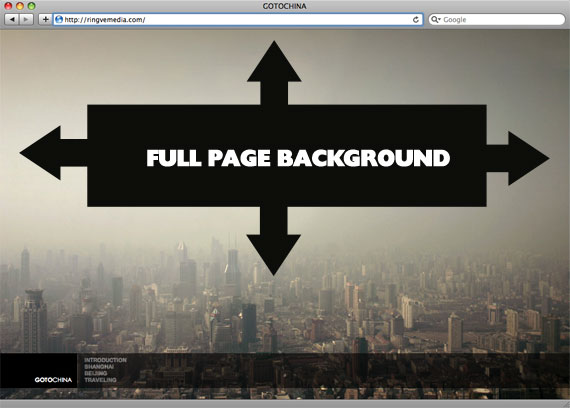
There is one cool trick to fill place with background, even if their sizes different. Just use the code for css:
body {
background-image: url(bg.jpg);
-webkit-background-size: cover;
-moz-background-size: cover;
-o-background-size: cover;
background-size: cover;
}

The goal here is a background image on a website that covers the entire browser window at all times. Let's put some specifics on it:

  • Fills entire page with image, no white space
  • Scales image as needed
  • Retains image proportions (aspect ratio)
  • Image is centered on page
  • Does not cause scrollbars
  • As cross-browser compatible as possible
  • Isn't some fancy shenanigans like Flash

We can do this purely through CSS thanks to the background-size property now in CSS3. We'll use the html element (better than body as it's always at least the height of the browser window). We set a fixed and centered background on it, then adjust it's size using background-size set to the cover keyword.

Works in

  • Safari 3+
  • Chrome Whatever+
  • IE 9+
  • Opera 10+ (Opera 9.5 supported background-size but not the keywords)
  • Firefox 3.6+ (Firefox 4 supports non-vendor prefixed version)

Source: http://css-tricks.com/perfect-full-page-background-image/

The article can also mean: css tricks

Saturday, April 2, 2011

htaccess doesnt work on windows of xampp [Solved]


My situation: I have xampp and perfectly working website. And problem is that site does nothing, while changing htaccess.

Here is solutions for this:

  • go to xampp folder and search for httpd.conf in apache/conf folders.
  • open it
  • make sure that LoadModule rewrite_module modules/mod_rewrite.so is uncommented
  • find all AllowOverride and changed None to All. All AllowOverride!!! There should be 3 of them..
It worked for me.. and might help you.

Happy htaccess editing!

Thursday, March 31, 2011

Page speed checker by Google


Here you go... google launched Page speed online analyzer. While it analyzes, it gives you lots of suggestions after completeing them, you website speed will improve!
There is 2 methods of analyzing - Desktop and Mobile. After analyze you will get number from 0 till 100 which describes your result of website speed.

URL: http://pagespeed.googlelabs.com/