Showing posts with label True. Show all posts

Monday, May 16, 2011

Google chrome Program too big to fit in memory [ Solution ]


Today for first time i meet the problem.

I was browsing as always... many tabs - like 10. Most of them are text. Suddenly my pc showed BSOD. After restart google chrome want start. And shows cmd windows for a second.

With cmd.exe ( start > cmd.exe ) , you can run same google chrome to see error message. It was - "Program too big to fit in memory".

After some google searches i read nothing interesting but only complains and questions about the problem.

I was not worried about my bookmarks because im using google sync.

1. So i just opened firefox.
2. Went to Google Chrome download page.
3. Downloaded / Ran setup
4. After installation all came back to normal.

Also last session was saved... and i could see pages which was opened before BSOD.

In worst situation you can lose your bookmarks. So its up to you...

Leave a comment if your bookmarks haven't erased after install. If you didn't used google sync. Cheers.

Hope it will help you guys. 

Sunday, April 10, 2011

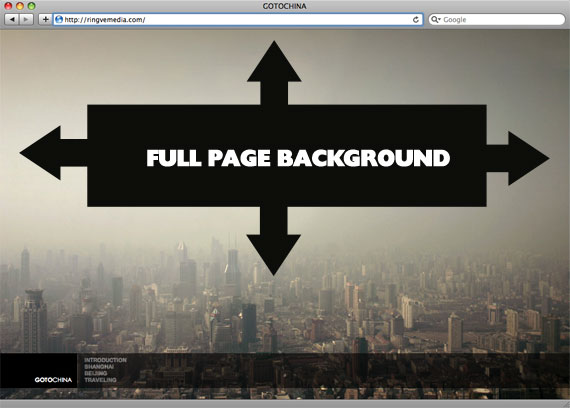
CSS trick to cover with perfect background width and height


There is one cool trick to fill place with background, even if their sizes different. Just use the code for css:
body {
background-image: url(bg.jpg);
-webkit-background-size: cover;
-moz-background-size: cover;
-o-background-size: cover;
background-size: cover;
}

The goal here is a background image on a website that covers the entire browser window at all times. Let's put some specifics on it:

  • Fills entire page with image, no white space
  • Scales image as needed
  • Retains image proportions (aspect ratio)
  • Image is centered on page
  • Does not cause scrollbars
  • As cross-browser compatible as possible
  • Isn't some fancy shenanigans like Flash

We can do this purely through CSS thanks to the background-size property now in CSS3. We'll use the html element (better than body as it's always at least the height of the browser window). We set a fixed and centered background on it, then adjust it's size using background-size set to the cover keyword.

Works in

  • Safari 3+
  • Chrome Whatever+
  • IE 9+
  • Opera 10+ (Opera 9.5 supported background-size but not the keywords)
  • Firefox 3.6+ (Firefox 4 supports non-vendor prefixed version)

Source: http://css-tricks.com/perfect-full-page-background-image/

The article can also mean: css tricks

Monday, March 14, 2011

Download video of Flowplayer


Today i was faced with problem - Downloading video of flowplayer. All i wanted to do is to download video from one site to my desktop.

It took me not long time for searching google and result is that i fount freeware! You will need to download it and run from your machine. Its virus free and no stupid tool bars are required to install. So don't worry.

Very easy to use and very well done freeware! Great job developers!

Free downloadhttp://www.streamtransport.com 

Friday, February 25, 2011

Hidden new line in string PHP


I guess you seen the problem, or maybe facing with it at the moment. So if you echo the string with pre tags, it will show normally. But without pre tags, it shows ugly... just like a plain text.

The problem is that there is hidden new lines symbols like /r or /n and so on...

Just by replacing the with str_replace is not enough. So here solution for it:

$value = preg_replace('/[\r\n]+/', '\n', $value);
echo htmlentities($value);

Tuesday, February 22, 2011

Real Megatron Tank from Transformers 2

Can you believe it? Real replica of Megatron Tank from Transformers 2 was made by one chinese metal artist. Full weight of the tank is more than 5000 kg.

Here is image of megatron tank made by fan


And here photos from real life


Thursday, February 17, 2011

How to test your hardware for problems

To find problem in your hardware you need to test everything... But you need to think... I mean, if windows loads up it means that video card, hard disk, rams, and so on works... Possible case - they works not good as "good", but they still works.

Anyways..

Here is some list of programs and other tricks i found while searching internet how to test your hardware parts.

Ram ( Random Access Memory ):
To test your RAM, you can do just by checking your Task Manager ( Performance tab ). Also you can see how many rums installed by going to "my computer"'s properties.
In harder cases people recommend to download these programs:
Most of the information was fount on ehow.com

Hard Disk ( Hard Drive ):
Most of test which you can do for your hard drive is installed in windows. It called "checkdisk" or chkdsk.exe, you can run it from command line. In other case you can do that from your file explorer:
  1. Go to computer, 
  2. Select hard drive
  3. Open properties
  4. Choose tools tab
  5. Press "Check Now" button, in "Error-checking" section
  6. In showed up windows check all possible check boxes and press Start.
  7. Wait until finishes and press Done. 
Also you can test your hard drive with SeaGate tool ( http://www.seagate.com/www/en-us/support/downloads/seatools ). 16,7 MB

Funny part of this, is that you can listen for sounds which hard drives are making ( in case if it is still working ), and check if it matches one of these ones: http://datacent.com/ . If it does,... i guess you need to change it.

More useful freewares such as "Hitachi Drive Fitness Test" or "Samsung HUTIL" and so on... can be fount here: http://pcsupport.about.com/

GPU ( Graphic Process Unit ):
First of all windows has included tool for this - dxdiag . You can run it from Command line.
  1. Press Start 
  2. Run 
  3. Cmd.exe 
  4. dxdiag 
  5. hit Enter
  6. check Dispay tab, for video card information.
Most popular method to test your video card is to install and run one of Benchmarks product 3DMark. http://www.futuremark.com/

Motherboard:
If motherboard is not working properly you will notice it. Some of these facts says about it:
  • Computer does not boot, and instead gives beep sounds.
  • Computer random crashes.
  • Computer randomly reboots.
and so on..


One of great software to test motherboard is Hot CPU Tester.

Tuesday, January 4, 2011

Facebook smiles


Here is collection of all smiles which are possible in facebook.


Happy emote: :) or :-)
facebook smiley happy
Really happy emote: :D or :-D
facebook smiley sad
Sad: :( or :-(
facebook smiley crying
Crying emote: :’(

facebook smiley wink
Wink emote: ;) or ;-)
facebook smiley happy eyes
Happy eyes: ^_^
facebook smiley laughing eyes
Laughing eyes: >:o
facebook smiley cat smile
Cat smile: :3
facebook smiley grumpy
Grumpy: >:-(
facebook smiley shocked
Shocked emote: :o or :-o
facebook smiley glasses
Glasses emote: 8) or 8-)
facebook smiley cool shades
Cool shades: 8-|
facebook smiley rude
Rude: :p or :-p
facebook smiley woot
Woot?!: O.o
facebook smiley dork
Dork emote: -_-
facebook smiley duhhh
Duhhh emote: :/ or :\
facebook smiley devil
Devil emote: 3:)
facebook smiley angel
Angel emote: O:)
facebook smiley kiss
Kiss emote: :-* or :*
facebook smiley love
Love emote: <3
facebook smiley pacman
Pacman: :v
facebook smiley shark
Shark: (^^^)
facebook smiley robot
Robot: :|]
facebook smiley weird face putnam
Weird guy’s face: :putnam:

Other symbols which also can be "copy-pasted" into facebook


¢ – cent
£ – pound
¤ – currency
¥ – yen
€ – euro sign
§ – section
© – copyright
® – registered trademark
™ – trademark
° – degree – e.g. 45°
¹ – superscript 1
² – superscript 2
³ – superscript 3
· – middle dot
¸ – spacing cedilla
¼ – fraction 1/4
½ – fraction 1/2
¾ – fraction 3/4
¿ – inverted question mark
× – multiplication
÷ – division
• – bullet = black small circle
◊ – lozenge
℠ – Service Mark
✓ – check mark
✔ – heavy check mark
✕ – multiplication sign
✖ – heavy multiplication sign
✗ – ballot
✘ – heavy ballot
✝ – Latin Roman Cross
✞ – Latin Cross 3D shadow
✟ – Latin Cross outline
✠ – Maltese Cross
✡ – Star of David
❛ – quotation mark single turned comma
❜ – quotation mark single comma
❝ – quotation mark double turned comma
❞ – quotation mark double comma
℃ – Celsius
℅ – care of
℉ – Farenheit
№ – numero symbol – number sign
℗ – Sound Recording Copyright
℞ – Prescription Take pharmaceutical symbol
Ω – Ohm
℧ – Inverted Ohm
☀ – sunshine – sun
☁ – cloudy – cloud – dark cloud
☂ – raining – rain – umbrella
☃ – snow – snowman
☄ – shooting star
★ – star solid
☆ – star outline
☇ – lightning
☈ – thunderstorm
☉ – sun
☊ – ascending node
☋ – descending node
☌ – conjunction
☍ – opposition
☎ – phone
☏ – phone symbol outline
☐ – check box
☑ – check box check mark
☒ – ballot box with X
☓ – St. Andrew’s Cross
♔ – White King
♕ – White Queen
♖ – White Rook
♗ – White Bishop
♘ – White Knight
♙ – White Pawn
♚ – Black King
♛ – Black Queen
♜ – Black Rook
♝ – Black Bishop
♞ – Black Knight
♟ – Black Pawn
☚ – left-pointing index finger
☛ – right-pointing index finger
☜ – left-pointing index finger
☝ – upwards pointing index finger
☞ – right pointing index finger
☟ – downwards pointing index finger
☠ – skull & crossbones
☡ – caution sign
☢ – radioactive sign
☣ – biohazard sign
☮ – peace sign
☯ – yin & yang
☹ – frowning face
☺ – smiley face
☻ – black smiley face
☽ – waxing crescent moon
☾ – waning crescent moon
♈ – Aries
♉ – Taurus
♊ – Gemini
♋ – Cancer
♌ – Leo
♍ – Virgo
♎ – Libra
♏ – Scorpio
♐ – Sagitarius
♑ – Capricorn
♒ – Aquarius
♓ – Pisces
♠ – black spade suit
♢ – red diamond suit
♣ – black club suit = shamrock
♤ – red spade suit
♥ – black heart suit = valentine ( <3 )
♦ – black diamond suit
♧ – red club suit
♨ – hot springs
♩ – musical quarter note
♪ – musical eighth note
♫ – musical single bar note
♬ – musical double bar note
♭ – flat note
♮ – natural note
♯ – sharp note
✁ – cut above
✂ – cut here
✃ – cut below
✄ – scissors
✆ – public pay phone
✇ – film reel – tape spool
✈ – airport jet airplane
✉ – envelope mail email
✌ – victory sign
✍ – signature – sign here
✎ – pencil diagonal down
✏ – pencil
✐ – pencil diagonal up
✈♬☑ ☎ ☒ ☻ ♤ ☤☹♀ ✩✉ ✇♺✖♨ ❦☁ ✌♛ ❁☪ ☂✏♝ ❀ ☭☃☛♞ ✿ ☚ ♘✾ ☯☾☝♖✽ ✝☄☟♟✺ ☥✂ ✍♕✵ ☮☠ ❤☆ ★ ♫ ✔ ► Ω ッ ● ♣ ♪ ☼ ◄ ❥ ♂♀ ♪◘♠☻♣ ♦☺○ ¿ ❤ ☆ ★

Also meaning of the article could be like this:
Facebook smile, Facebook smileys, Facebook, Smileys, Facebook Smiles

Sunday, September 19, 2010

Skype privacy. Delete previews chats


If you are the one who wondering how to delete previews chats which was made not "today", here is simple step by step for you.

You can't delete only one friend's chat history, but you can clean all of them. It could be a problem for you, because someone could ask - "why you deleted chat history", because it will clean all chats! not only one friend's chat history. For cleaning chat history there should be reason... So make sure you have good answer before you start cleaning the history. Anyways. To do that follow the steps:

1) Go to menu - Tools
2) Choose Options
3) Select Privacy
4) Press button - "Clean history"
5) By pressing Save close windows
6) Done - no chat history left.

Good luck.

Thursday, October 29, 2009

Google Story

Very cool video about Google.

Googlers in our London office put together this quick look at the history of Google for our 11th birthday in September 2009. Originally featured on the GoogleChannelUK.


Wednesday, April 22, 2009

Top 5 Signs That Your Website Sucks

Top 5 Signs That Your Website Sucks:

1. You Aren't Getting Traffic
2. You Have Worthless Content
3. You Have No Call-to-Action
4. You're Getting Traffic But No Sales
5. You're Getting Relevant Traffic But No Sales