No you don't says website - http://www.tipb.com/.
I was wondering about this too and i always close applications in my multitasking desk of my ipod touch 2generation.
Monday, February 21, 2011

Thursday, February 17, 2011
How to test your hardware for problems
To find problem in your hardware you need to test everything... But you need to think... I mean, if windows loads up it means that video card, hard disk, rams, and so on works... Possible case - they works not good as "good", but they still works.
Anyways..
Here is some list of programs and other tricks i found while searching internet how to test your hardware parts.
Ram ( Random Access Memory ):
To test your RAM, you can do just by checking your Task Manager ( Performance tab ). Also you can see how many rums installed by going to "my computer"'s properties.
In harder cases people recommend to download these programs:
Hard Disk ( Hard Drive ):
Most of test which you can do for your hard drive is installed in windows. It called "checkdisk" or chkdsk.exe, you can run it from command line. In other case you can do that from your file explorer:
Funny part of this, is that you can listen for sounds which hard drives are making ( in case if it is still working ), and check if it matches one of these ones: http://datacent.com/ . If it does,... i guess you need to change it.
More useful freewares such as "Hitachi Drive Fitness Test" or "Samsung HUTIL" and so on... can be fount here: http://pcsupport.about.com/
GPU ( Graphic Process Unit ):
First of all windows has included tool for this - dxdiag . You can run it from Command line.
Motherboard:
If motherboard is not working properly you will notice it. Some of these facts says about it:

One of great software to test motherboard is Hot CPU Tester.
Anyways..
Here is some list of programs and other tricks i found while searching internet how to test your hardware parts.
Ram ( Random Access Memory ):
To test your RAM, you can do just by checking your Task Manager ( Performance tab ). Also you can see how many rums installed by going to "my computer"'s properties.
In harder cases people recommend to download these programs:
- memtest86+ ( http://tinyurl.com/6dgkn46 ), requires to burn CD to run
- Windows Memory Diagnostic ( http://tinyurl.com/4qw9hr5 ), requires to burn CD to run
- memtest ( http://tinyurl.com/2lqo2 ), no burn requires!
Hard Disk ( Hard Drive ):
Most of test which you can do for your hard drive is installed in windows. It called "checkdisk" or chkdsk.exe, you can run it from command line. In other case you can do that from your file explorer:
- Go to computer,
- Select hard drive
- Open properties
- Choose tools tab
- Press "Check Now" button, in "Error-checking" section
- In showed up windows check all possible check boxes and press Start.
- Wait until finishes and press Done.
Funny part of this, is that you can listen for sounds which hard drives are making ( in case if it is still working ), and check if it matches one of these ones: http://datacent.com/ . If it does,... i guess you need to change it.
More useful freewares such as "Hitachi Drive Fitness Test" or "Samsung HUTIL" and so on... can be fount here: http://pcsupport.about.com/
GPU ( Graphic Process Unit ):
First of all windows has included tool for this - dxdiag . You can run it from Command line.
- Press Start
- Run
- Cmd.exe
- dxdiag
- hit Enter
- check Dispay tab, for video card information.
Motherboard:
If motherboard is not working properly you will notice it. Some of these facts says about it:
- Computer does not boot, and instead gives beep sounds.
- Computer random crashes.
- Computer randomly reboots.

One of great software to test motherboard is Hot CPU Tester.
Sunday, February 6, 2011
Error 324 (net::ERR_EMPTY_RESPONSE): Unknown error. [Solved]

I got the error after, updating my chrome to 9 version. I appeared few times, and i decided to fix it. So here is solution for the error:
Chrome:
1. Open Options
2. Choose Under the Hood tab in options
3. Press Reset to Defaults
4. Done.
Common tags for the article: chrome, problem, mistake, bug, error, how to
Wednesday, January 12, 2011
PHP export mysql table to text file

Here is simple script which will help you a bit, to export all fields of your database table to text file. It will not be same as export of MyAdmin, but its better than nothing... at least you will have data.
$sql_export = "SELECT * INTO OUTFILE 'tables.txt' FROM `table_name` ";//var_dump($sql_export);if($result = mysql_query($sql_export))echo "Recorded";else echo "Not recorded";
Sunday, January 9, 2011
Joomla Error loading feed data

The error occurs after installing joomla.
So fix the thing all you need to do is:
1. go to administrator panels
2. Extensions -> Module Manager -> Administrator tab
3. Find "Joomla! Security Newsfeed"
4. Disable it
5. Done
If you have the “yoo_tweet module” installed, disable this module as well. This module is known to display this error message.
Why:
Because this module load feed data with link http://feeds.joomla.org/JoomlaSecurityNews, this link is broken, so it pop up a error loading feed data error.
Have fun!
Thursday, January 6, 2011
Finding time difference in seconds between 2 dates ( timestamps )

In my situation i needed query to find time difference in seconds between current time and field's value.
SELECT TIME_TO_SEC(TIMEDIFF(NOW(),`field_name`));between 2 mysql fields can look like this:
SELECT TIME_TO_SEC(TIMEDIFF(`field_name1`,`field_name2`));
httpd.exe apache cpu 100% load

I had the problem today. When i started Apache from Xampp control panel, CPU usage became 100%. Nothing changed after apache restart and PC restart. Same.. - 100%.
So to understand what is happening you need to
1. go to: C:\xampp\apache\logs
2. open access.log with text editor
if file is too big to open ( bigger than 5 mb ) do this:
1. just delete access.log and error.log
2. start apache and stop it after it will start loading your CPU to 100%.
In access.log, you will be able to figure out what is happening with your apache ( httpd ).
In my situation was some kind of apache virus ( which affects my files with new scripts called webdav and webalizer ).
So if you have the folders in your xampp folder, that means you have same problem..
i solved it by this way:
1. -> Control Panel\Network and Internet\Network and Sharing Center
2. -> Windows Firewall
3. -> Allow programs to communicate through Windows Firewall
4. Removed Apache HTTP Server with checked under Public ( To do that press Change settings button on top )
5. Close everything.
It might not help you. So here is one more idea what you could do in the situation:
After finding out what IP requested execution of the script in part with error.log just Block it! Google for answer..
Tuesday, January 4, 2011
Facebook smiles

Here is collection of all smiles which are possible in facebook.

Happy emote: :) or :-)

Really happy emote: :D or :-D

Sad: :( or :-(

Crying emote: :’(

Wink emote: ;) or ;-)

Happy eyes: ^_^

Laughing eyes: >:o

Cat smile: :3

Grumpy: >:-(

Shocked emote: :o or :-o

Glasses emote: 8) or 8-)

Cool shades: 8-|

Rude: :p or :-p

Woot?!: O.o

Dork emote: -_-

Duhhh emote: :/ or :\

Devil emote: 3:)

Angel emote: O:)

Kiss emote: :-* or :*

Love emote: <3

Pacman: :v

Shark: (^^^)

Robot: :|]

Weird guy’s face: :putnam:
¢ – cent £ – pound ¤ – currency ¥ – yen € – euro sign § – section © – copyright ® – registered trademark ™ – trademark ° – degree – e.g. 45° ¹ – superscript 1 ² – superscript 2 ³ – superscript 3 · – middle dot ¸ – spacing cedilla ¼ – fraction 1/4 ½ – fraction 1/2 ¾ – fraction 3/4 ¿ – inverted question mark × – multiplication ÷ – division • – bullet = black small circle ◊ – lozenge ℠ – Service Mark ✓ – check mark ✔ – heavy check mark ✕ – multiplication sign ✖ – heavy multiplication sign ✗ – ballot ✘ – heavy ballot ✝ – Latin Roman Cross ✞ – Latin Cross 3D shadow ✟ – Latin Cross outline ✠ – Maltese Cross ✡ – Star of David ❛ – quotation mark single turned comma ❜ – quotation mark single comma ❝ – quotation mark double turned comma ❞ – quotation mark double comma | ℃ – Celsius ℅ – care of ℉ – Farenheit № – numero symbol – number sign ℗ – Sound Recording Copyright ℞ – Prescription Take pharmaceutical symbol Ω – Ohm ℧ – Inverted Ohm ☀ – sunshine – sun ☁ – cloudy – cloud – dark cloud ☂ – raining – rain – umbrella ☃ – snow – snowman ☄ – shooting star ★ – star solid ☆ – star outline ☇ – lightning ☈ – thunderstorm ☉ – sun ☊ – ascending node ☋ – descending node ☌ – conjunction ☍ – opposition ☎ – phone ☏ – phone symbol outline ☐ – check box ☑ – check box check mark ☒ – ballot box with X ☓ – St. Andrew’s Cross ♔ – White King ♕ – White Queen ♖ – White Rook ♗ – White Bishop ♘ – White Knight ♙ – White Pawn ♚ – Black King ♛ – Black Queen ♜ – Black Rook ♝ – Black Bishop ♞ – Black Knight ♟ – Black Pawn | ☚ – left-pointing index finger ☛ – right-pointing index finger ☜ – left-pointing index finger ☝ – upwards pointing index finger ☞ – right pointing index finger ☟ – downwards pointing index finger ☠ – skull & crossbones ☡ – caution sign ☢ – radioactive sign ☣ – biohazard sign ☮ – peace sign ☯ – yin & yang ☹ – frowning face ☺ – smiley face ☻ – black smiley face ☽ – waxing crescent moon ☾ – waning crescent moon ♈ – Aries ♉ – Taurus ♊ – Gemini ♋ – Cancer ♌ – Leo ♍ – Virgo ♎ – Libra ♏ – Scorpio ♐ – Sagitarius ♑ – Capricorn ♒ – Aquarius ♓ – Pisces | ♠ – black spade suit ♢ – red diamond suit ♣ – black club suit = shamrock ♤ – red spade suit ♥ – black heart suit = valentine ( <3 ) ♦ – black diamond suit ♧ – red club suit ♨ – hot springs ♩ – musical quarter note ♪ – musical eighth note ♫ – musical single bar note ♬ – musical double bar note ♭ – flat note ♮ – natural note ♯ – sharp note ✁ – cut above ✂ – cut here ✃ – cut below ✄ – scissors ✆ – public pay phone ✇ – film reel – tape spool ✈ – airport jet airplane ✉ – envelope mail email ✌ – victory sign ✍ – signature – sign here ✎ – pencil diagonal down ✏ – pencil ✐ – pencil diagonal up |
Also meaning of the article could be like this:
Facebook smile, Facebook smileys, Facebook, Smileys, Facebook Smiles
Thursday, December 30, 2010
How to delete facebook page

To detele facebook page you need to do this:
1. login into your facebook account in which you want to delete facebook page.
2. click "Adverts & Pages".
3. choose desired Page, which you want to delete and press "Edit Page"
4. on left side, choose "Manage Permission".
5. finally in delete section press "Permanently delete this Page"
6. in popup windows once again press "delete" to confirm that you want to delete it.
7. done
Monday, December 20, 2010
PHP goto error - syntax error, unexpected T_STRING

Good luck!
Saturday, December 18, 2010
Movie Maker in Windows 7

As you noticed windows 7 doesn't has movie maker included . So if you still need it, you can download and install it, just by follow step-by-step below.
1. Open http://explore.live.com/windows-live-essentials
2. Click Download now
3. It will download wlsetup-web.exe . Run it and download / installation process will start.
4. Wait until it finish
5. Done.
Happy movie making!
Thursday, December 16, 2010
wmp.dll expected

The error messages looks like -
"The file wmp.dll has a version number of 11.0.0.**** where 11.0.0.**** was expected. Windows Media Player is not installed properly and must be reinstalled."
Solution for it:
1. Start -> Run
2. Type or Paste this -> c:\windows\inf\unregmp2.exe /UpdateWMP
3. Press -> Ok
4. Done.
Now try to open WMP.
Tuesday, December 14, 2010
Clickable TD

So, if you wonder how to do whole into clickable area, here is solution:
Add this into td tag:
onClick="window.location='http://www.yahoo.com'"
Done.
Wednesday, November 17, 2010
Joomla template installation problems

Today for first time i tried to install new Joomla! template.
The problem is that i'm total noob at Joomla! And errors which i had was:
1. JFolder::create: Could not create directory
2. Error! Could not find an XML setup file in the package.
3. Your Extension appears to be written for an older version of Joomla!. You must enable the System - Legacy Plugin in the Plugin Manager if you wish to complete this task.
4. Template Install: Failed to create directory.
And so on..
So after 1 hour of power-googling for solutions i finally figured out how to solve them one by one:
First of all, some templates are bugged. You can check it by opening templateDesigh.xml file ( inside of templates zip file ). If it starts with install tag, that means it's bugged. All you need to do is to change install tag to mosintall tag ( don't forget about closing tag at end of the file ).
Secondly, when my first Joomla! was install, some how "tmp" directory wasn't created. So go and create tmp directory if you missing it too.
And finally last and most important solution which helped me is changing all directories of Help -> System info -> Directory Permissions, CHMOD from 755 to 777 .
Also you might have problems with Safe mode in Help -> System info -> PHP Settings, because it should be Off, and some guys has it On.
Good luck.
Sunday, November 14, 2010
How to install ipa files on ipod touch or iphone

If you wondering how to install ipa files on your ipod or iphone just follow the tutorial.
1. First of all, you will need to jailbreak your ipod or iphone. To do that follow the tutorial: jailbreaking-41-ipod-touch-2g
2. Next you need to update all files with Cydia which will appear on your ipod or iphone after you jailbreak it.
3. Next make sure you synchronize your ipod or iphone with your iTunes. Make sure you have at least one application which is not default one. Other wise application tab will not appear in your iTunes.
4. Open cydia.
5. Go to manage and add http://cydia.hackulo.us source ( Manage>Sources>Edit>Add )
6. Search for "Appsync" application for current firmware and install it. ( Search>Appsync>Install>Confirm )
7. Than just download you needed one ipa file from internet.
8. Drag the ipa file to your iTunes application section.
9. Synchronize new content with your ipod or iphone.
10. Done.
Saturday, November 13, 2010
How to watch mkv files

Mkv files are video or audio which you can play. If you see the file as unknown extension than all you need to follow the tutorial for windows:
1. Download CCCP from CCCP (Combined Community Codec Pack) Project
2. Install it
3. Done
Jailbreaking 4.1 ipod touch 2g

I have ipod touch 2g, and today i was forced to do jailbreak again.
Anyways here is very good video on youtube which shows how to do it in very easy way
To do jailbreak for your ipod touch all you need is:
1. to download Redsn0w for Windows from here
mediafire redsn0w
Or here: rapidshare redsn0w
Mac version: http://www.iphone-hacks.com/download.php?id=263
2. to download firmware 4.1 for your device...
in my situation is ipod touch 2g firmware - appldnld.apple.com ipod touch 2g
in your situation it can be ipod touch 3g - appldnld.apple.com ipod touch 3g ( if you don't know which generation you have, than i recommend you to check the article - difference-between-ipod-touch-mc-and-mb )
or even iphone - appldnld.apple.com iPhone4
3. to run redsn0w
4. follow instructions
5. done.
Wednesday, November 3, 2010
MSI CX500 Wireless LAN driver for Linux

For last month i have been useing linux. My pc is MSI CX500 with default Wireless LAN. The problem is that linux don't installs drivers for my MSI CX 500 wireless lan.
Solution is very easy.
1. Download: https://launchpad.net/~markus-tisoft/+archive/rt3090/+files/rt3090-dkms_2.3.1.3-0ubuntu0~ppa1_all.deb
2. Install packages.
3. Disable / Enable networking
4. Done
Happy wireless using.
Sunday, September 19, 2010
Skype privacy. Delete previews chats

If you are the one who wondering how to delete previews chats which was made not "today", here is simple step by step for you.
You can't delete only one friend's chat history, but you can clean all of them. It could be a problem for you, because someone could ask - "why you deleted chat history", because it will clean all chats! not only one friend's chat history. For cleaning chat history there should be reason... So make sure you have good answer before you start cleaning the history. Anyways. To do that follow the steps:
1) Go to menu - Tools
2) Choose Options
3) Select Privacy
4) Press button - "Clean history"
5) By pressing Save close windows
6) Done - no chat history left.
Good luck.
Sunday, September 12, 2010
Google Chrome 7 URL bar weird auto complete
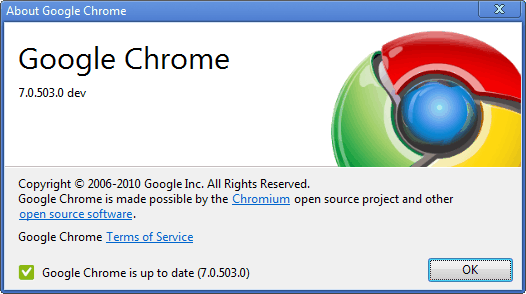
1) Key -> Options
2) Under and Bonnet
3) Uncheck -> "Use a suggestion service to help complete searches and URLs typed in the address bar"
4) Close
5) Done!
Happy URL writing.
Newest version of Google Chrome can be downloaded here:
http://www.filehippo.com/download_google_chrome/
Subscribe to:
Posts (Atom)