Showing posts with label Chrome. Show all posts

Monday, May 14, 2018

Solution for Chrome USB debugging remote devices doesn't appear

Today I was forced to inspect crashing chrome browser. To inspect that i needed to use desktop chrome.

To do that there is pretty good tutorial: https://raygun.com/blog/debug-android-chrome/

But after completing all steps. Nothing appeared in "remote devices" on desktop.

After few hours i have found solution.

To fix that:


  1. Download SDK Platform-Tools for Windows zip file. Extract..
  2. Launch cmd.exe ( command prompt ). 
  3. From extracted folder launch "C:\path_to_file\adb.exe devices" . You might get as i got - "List of devices attached: 9be86c14 unauthorized"
  4. Now unplug your phone and plug it back. 
  5. Check your phone that it allows PTP connection of USB debugging ( check raygun.com link ).
  6. Repeat #3 step - launch "adb.exe devices" command again. You might get same message in cmd.exe window. BUT now check your phone. There should be confirmation popup window for mac address. Accept that.
  7. Now just repeat same #3 step. As it shown from my screenshot i got success message "9a479b83 device".
  8. Done. Now you should be able to detect the device under "remote devices" in google chrome. 

To inspect url on device:

  1. On device open chrome and open desired url
  2. On desktop open remote devices 
  3. Click device
  4. Near appeared list of "opened" tabs with shown urls find your "last one" and on right side click "inspect" button.
  5. Done.

Happy debugging.

Let me know if it helped you. Or write where you stuck and how you solved it, so other people could save time. Thanks.

Monday, September 23, 2013

Send highlighted text to Email Chrome extension


I was looking for extension for several days, but couldn't find it anywhere.

All i could find is tutorials how to make chrome extension and similar topic on stackoverflow with simple code how to make the extension.

So what i did.

  1. Learned some simple chrome extension tutorials
  2. Took the code from stackoverflow
  3. Created simple extension which uses external domain with file which sends emails.
You can download it here:

At first i have tried to make new tab with standart Gmail sender, but i failed at it. Because text in the case can be sent only by $_GET parameters, and Gmail has limits - about 2000 symbols. So it means max length of email is smaller than 2000 symbols.
Solution to this was to use external domain with sender.php.

Tuesday, July 9, 2013

How to disable flash in chrome

To disable flash in your browser - Chrome you need to:


  1. Open Chrome browser
  2. Type in address bar this: about:plugins
  3. After page is finished loading you will come up into plugins page
  4. Here find Adobe Flash Player
  5. Under it you will find disable button
  6. Press it
  7. Disabled plugins will be shown with grey backgrounds
Have fun!

Monday, May 16, 2011

Google chrome Program too big to fit in memory [ Solution ]


Today for first time i meet the problem.

I was browsing as always... many tabs - like 10. Most of them are text. Suddenly my pc showed BSOD. After restart google chrome want start. And shows cmd windows for a second.

With cmd.exe ( start > cmd.exe ) , you can run same google chrome to see error message. It was - "Program too big to fit in memory".

After some google searches i read nothing interesting but only complains and questions about the problem.

I was not worried about my bookmarks because im using google sync.

1. So i just opened firefox.
2. Went to Google Chrome download page.
3. Downloaded / Ran setup
4. After installation all came back to normal.

Also last session was saved... and i could see pages which was opened before BSOD.

In worst situation you can lose your bookmarks. So its up to you...

Leave a comment if your bookmarks haven't erased after install. If you didn't used google sync. Cheers.

Hope it will help you guys. 

Tuesday, March 22, 2011

Rounded corners border CSS Problem in IE [ Internet Explorer ] [ Joomla ] [ Solved ]


Here you go.. There is an css code for "good" browsers to change your div's corners to rounded ones. But "bad" browsers such as Internet Explorer ( IE - IE6, IE7 and so on... doesnt works pretty good under this conditions.. ), so here is solution for this problem.


CSS CODE EXAMPLE OF DIV WITH CLASS = "box"
.box {
-moz-border-radius: 15px; /* Firefox */
-webkit-border-radius: 15px; /* Safari and Chrome */
border-radius: 15px; /* Opera 10.5+, future browsers, and now also Internet Explorer 6+ using IE-CSS3 */
-moz-box-shadow: 10px 10px 20px #000; /* Firefox */
-webkit-box-shadow: 10px 10px 20px #000; /* Safari and Chrome */
box-shadow: 10px 10px 20px #000; /* Opera 10.5+, future browsers and IE6+ using IE-CSS3 */
behavior: url(ie-css3.htc); /* This lets IE know to call the script on all elements which get the 'box' class */

}

There should be like this: "behavior: url(path/to/ie-css3.htc);"

Download url of the ie-css3.htc file. Put the file into root and css folder. ( and into other folders in other cases.. ^^ ):
http://uploading.com/files/dm247e4c/pie.zip/

I faced with this problem while doing rounded corners in Joomla template. Also this resources might be helpful

Sunday, February 6, 2011

Error 324 (net::ERR_EMPTY_RESPONSE): Unknown error. [Solved]


I got the error after, updating my chrome to 9 version. I appeared few times, and i decided to fix it. So here is solution for the error:

Chrome:
1. Open Options
2. Choose Under the Hood tab in options
3. Press Reset to Defaults
4. Done.

Common tags for the article: chrome, problem, mistake, bug, error, how to

Sunday, September 12, 2010

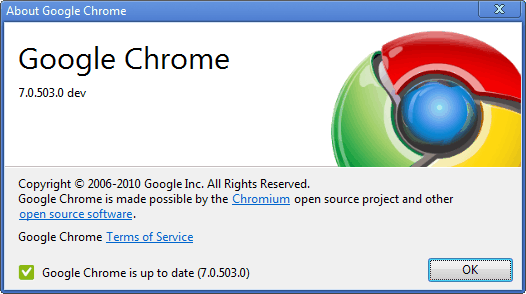
Google Chrome 7 URL bar weird auto complete

If you are using 7th version of Google Chrome, and you don't like how it changes your first letters of url you trying to write to complete url. Than here is easy follow guide how to disable it.

1) Key -> Options
2) Under and Bonnet
3) Uncheck -> "Use a suggestion service to help complete searches and URLs typed in the address bar"
4) Close
5) Done!

Happy URL writing.

Newest version of Google Chrome can be downloaded here:
http://www.filehippo.com/download_google_chrome/

Thursday, October 29, 2009

Google Story

Very cool video about Google.

Googlers in our London office put together this quick look at the history of Google for our 11th birthday in September 2009. Originally featured on the GoogleChannelUK.


Wednesday, October 7, 2009

What is browser

One guy from Google was pissed off by his mother when he was trying to explain what is a browser. So he decided to ask some of his friends. He figured out that his mother is not only who don't knows what browser is. So he was so pissed off that he created web site and even a video for the people who don't knows what browser is.

Learn what a web browser is by watching this 1 minute video.


Page the guy created:
http://www.whatbrowser.org/

Saturday, August 8, 2009

Friday, May 1, 2009

Google Chrome advertise

New video from google about great browser - Google Chrome.

Saturday, April 25, 2009

How to export bookmarks from chrome

Question: How to export bookmarks from chrome?
Answer: Easy.. Beta version of chrome don't has export option. So you need to use program to export bookmarks.

Link for download of program: http://uploading.com/files/7BNEFWJJ/ChromeDump.rar.html

Friday, September 5, 2008

Google Chrome Shockwave Flash crash

To prevent crashing Chrome Shockwave, install newest flash and shockware:
http://get.adobe.com/shockwave/?loc=en
and
http://www.adobe.com/products/flash/

READ! 

EDIT:
I was happy until suddenly my chrome started to crash one after another as it was in first chrome versions. It was like crashing while starting chrome. I was so pissed off, so i decided to reinstall it (because my chrome was old because of (error: 3)). not helped. So finally i got solve for the problem.

1. You need CCleaner http://www.filehippo.com/download_ccleaner/
2. Clean EVERYTHING.
3. Clean REGISTRY
4. Restart PC ( for good.. )
5. Done.
Please tell if it helped you, it is important!