Showing posts with label CSS. Show all posts

Tuesday, February 18, 2014

JQuery remove !important

I have searched a lot. And i couldn't find solution how to remove the option. But i found that you can set another one attribute with jquery with important option, so you could overlap old style.

Here is code i have used for changing background-color of element - body which had background-color attribute with important option.

$("body").css("cssText","background-color: #FFF !important");

Tuesday, April 10, 2012

Count divs in div with jquery

Solution for: We have several elements ( tags ) for example divs, in div or other object which can contain elements inside it with certain class or ID, and we want to count how many there are the certain elements. For example we have several divs:
<div class="div1">
 <div></div>
 <div></div>
 <div></div>
 <div></div>
 <div></div>
</div>
JQuery counter for the divs inside the div is:
$(document).ready(function()
{ 
 var divs_count = $("#div1 > div").size();
 alert(divs_count);
}

Thursday, January 5, 2012

JQuery email check

To check if user typed his email right you can use jquery.

Atribute of reg:
var emailReg = /^([\w-\.]+@([\w-]+\.)+[\w-]{2,4})?$/;


And IF code:

if(!emailReg.test(email))
{
     error = true;
 }


Full code will could look like

$(document).ready(function()
{
  $("input.button[name=komentuoti]").click(function()
  {
    var email = $("input[name=email]").val();
    var error;
    var emailReg = /^([\w-\.]+@([\w-]+\.)+[\w-]{2,4})?$/;
 
    if(!emailReg.test(comment_email))
    {
      error = true;
      return false;
    }
 
    if(error == true)
    {
      alert("Bad email!");
    }    
  }
});


IE image spacing issue [Solved]


Today / yesterday i faced with IE image spacing issue, which was like pain in my ass.

In Chrome, Firefox and other good browsers everything was perfect, but in IE navigation bar with background images and just images which can be clicked was not perfect. 

Solution for this is just to add CSS for the images with attribute display block.

Example:

.tablewithbadimages img
{
    display:block;
}

Update ( 2012.01.30 ):

Another solution for this is check if user's browser is IE and do something for all other browsers and other values for IE.

Example:

.footer{
  height: 40px;
}               


Thursday, September 8, 2011

Prestashop CMS block location header


Several days ago i faced with prestashop problem. I tried to hook right column cms block to header. But as prestashop developers says, that it was developed to hook only left or right side.

So here is my solution for this:

in global.css i changed right_column class position to relative and moved it up.

CSS looks like this after my changes:

position: relative;
left: 0px;
top: -200px;
width: 191px;
margin-left: 21px;
overflow: hidden

After this my center_column looked weird ( not full width ) and chaing it's width changes everything ( right_column drops down and starts to move... ). So i figured out this solution for the place: I changed center_column position to absolute, added padding-left so it dont overlay on left_column and added width which i was required from the beggining.

CSS looks like this after my changes:

position: absolute;
padding-left: 290px;
width: 810px;
margin: 0 0 30px 0;
overflow: hidden


Good luck with you prestashop hacking!

Wednesday, August 24, 2011

[Solution] user agent stylesheet override site stylesheet on Chrome but not Firefox


My problem was this: i wanted to put bold on text which was in select's option by putting style - wont-weight. I had succeed only on Firefox. Because chrome user agent stylesheet were overriding my stylesheet.
I tried to solve the problem for hours. Finally with my friend's help i found the website - electrictoolbox. And it says that only firefox allows to do that... that means we cant use wont-weight on chrome for option, select and optgroup.

My solution was for the bold text changing wont-weight style into color, with dark color for normal text and lighter color for bold required. Also i needed disabling option of bold, so i just added " disabled='disabled' ". That is all..

My result:


Good luck.

Friday, July 29, 2011

CSS compressor

Today i have created my own css compressor. I often do css compression, but i always used other sites. So today i created my own and using it! All you need just copy your css code, paste into css code field and press compress. The compressor will compress css code for you. Mostly i get 20% compressed code. Compression can be high and can be low, it all depends on your CSS code writing. The more compressed code you write, the less it will be need to compress.
So now you dont need to write it compressed. Just write as you like and after compress into compact size called "min" aka "mini" ( most of programmers use .min tag for jquery files , like jquery.blabla.min.js )

Screenshot:


Source:
CSS compressor

Saturday, July 2, 2011

Seo keywords optimization tools.


Currently working on my own new project. In the project im trying to create tool for monitoring seo keywords of other projects.

I have a lot fun and im trying to use most newest tools to create it. There already is some good tools, like keywords searching, google pagerank counter, urls counter, google analytics monitoring and much much more coming!

Hope to see some testers there and ill would like to hear some suggestions from your side if you are very interested in it.

It is a bit bugged for now but ill fix everything very soon.

Also it will be multi language project. But for beggining there will be only 2 languages - Lithuanian and English.

Source: http://www.igloro.info

Thursday, June 16, 2011

Optimize your website

At work as programmer i need to optimize page load time.

So here is some tweaks which you can use for your own web sites.

1. Optimizing your CSS and JS ( Javascript, Jquery and so on... ).
All pages uses css and js. Most of time they are huge. like 50-500 kb for css and same for JS.

Most of time i use the tool to see how fast my page is loading:

http://tools.pingdom.com

Best way to optimize CSS is:
Explode CSS files by parts and use only required ones for pages you are using. After compress it with such tools as http://www.cssdrive.com/index.php/main/csscompressor. And in same time combine these ones together into one single load ( search google for CSS.php combiner ).


Best way to optimize JS is:
Explode by files and use only required code you are using. Compress these files with tools like this: http://www.compress-javascript.com/ ( Some codes don't work after compress, you can try to find another good compressor which will compress better than this one. Let me know if you find anything.. )
In same time combine them with combiners into one file. ( search google for JS.php combiner ).

2. Cache! Best way to optimize website is to use cache.
There also some good tweaks about cache. For example using GZIP cache.
Most of time gzip compressed code with 80% success. For example if you code is 100kb, gzip will compress into 20kb and load it into user browser.
To check gzip compression im using such tools as this one: http://www.whatsmyip.org/http_compression/

3. Images! Less images - better. But as you know, logos and so on.. are important for web sites.
Big web sites as facebook using very nice technique - one big image with all images: http://static.ak.fbcdn.net/rsrc.php/v1/zi/r/uVYVvAILt0K.png

4. HTML, PHP code optimization gives some results too. Spaces, tabs, else { } and so on are pretty good on lowering some kbs...
but each kb less will be some gigabytes less for server load per day-week-month if your web site is big!.

5. Javascript lazyloading - it is very nice tool for loading images. It will load image only if user sees the image. If the image is not in visible spot, it will not be loaded.
Source: http://www.appelsiini.net/projects/lazyload

And remember, that visitor is important of all web sites!

Friday, May 27, 2011

Broken image. Failed to load images fix with JQuery

Today i was solving problem with failed to load images. There was 2 solutions for this - 1) php with getimagesize and 2) JQuery check.

getimagesize showed me warnings so my choice was JQuery.

And it was great choice, because using jquery is always fun.

Code i used for all img ( CSS attribute ):

$(window).load(function() {
$('img').each(function() {
if (!this.complete || typeof this.naturalWidth == "undefined" || this.naturalWidth == 0) {
// image was broken, replace with your new image
this.src = 'http://www.example.com/replace_no_image.jpg';
}
});
});

Sunday, April 10, 2011

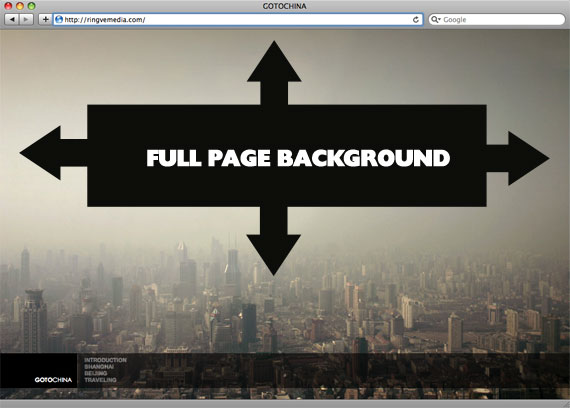
CSS trick to cover with perfect background width and height


There is one cool trick to fill place with background, even if their sizes different. Just use the code for css:
body {
background-image: url(bg.jpg);
-webkit-background-size: cover;
-moz-background-size: cover;
-o-background-size: cover;
background-size: cover;
}

The goal here is a background image on a website that covers the entire browser window at all times. Let's put some specifics on it:

  • Fills entire page with image, no white space
  • Scales image as needed
  • Retains image proportions (aspect ratio)
  • Image is centered on page
  • Does not cause scrollbars
  • As cross-browser compatible as possible
  • Isn't some fancy shenanigans like Flash

We can do this purely through CSS thanks to the background-size property now in CSS3. We'll use the html element (better than body as it's always at least the height of the browser window). We set a fixed and centered background on it, then adjust it's size using background-size set to the cover keyword.

Works in

  • Safari 3+
  • Chrome Whatever+
  • IE 9+
  • Opera 10+ (Opera 9.5 supported background-size but not the keywords)
  • Firefox 3.6+ (Firefox 4 supports non-vendor prefixed version)

Source: http://css-tricks.com/perfect-full-page-background-image/

The article can also mean: css tricks

Thursday, March 31, 2011

Search folder and subfolders in text files for a string


While developing on new project which was created not by you, the software always is good for searching something..
Big plus of the software is that it is searching in sub directories... and it searches in text files! And most important it works just great!

Searches text files for strings and combination of strings. Has useful or / and / and not search combinations, and can also use regular expressions. New in version 3, is the built-in viewer / editor that highlights the matched strings and lines.

URL: http://www.sadmansoftware.com/

Tuesday, March 22, 2011

Rounded corners border CSS Problem in IE [ Internet Explorer ] [ Joomla ] [ Solved ]


Here you go.. There is an css code for "good" browsers to change your div's corners to rounded ones. But "bad" browsers such as Internet Explorer ( IE - IE6, IE7 and so on... doesnt works pretty good under this conditions.. ), so here is solution for this problem.


CSS CODE EXAMPLE OF DIV WITH CLASS = "box"
.box {
-moz-border-radius: 15px; /* Firefox */
-webkit-border-radius: 15px; /* Safari and Chrome */
border-radius: 15px; /* Opera 10.5+, future browsers, and now also Internet Explorer 6+ using IE-CSS3 */
-moz-box-shadow: 10px 10px 20px #000; /* Firefox */
-webkit-box-shadow: 10px 10px 20px #000; /* Safari and Chrome */
box-shadow: 10px 10px 20px #000; /* Opera 10.5+, future browsers and IE6+ using IE-CSS3 */
behavior: url(ie-css3.htc); /* This lets IE know to call the script on all elements which get the 'box' class */

}

There should be like this: "behavior: url(path/to/ie-css3.htc);"

Download url of the ie-css3.htc file. Put the file into root and css folder. ( and into other folders in other cases.. ^^ ):
http://uploading.com/files/dm247e4c/pie.zip/

I faced with this problem while doing rounded corners in Joomla template. Also this resources might be helpful

Saturday, June 26, 2010

CSS rounded border


Today i was looking for css code which will make border rounded. One idiot's tutorial was like - create corners like gifs and fill other parts with dot's gifs. That is good that there is much smarter ones, from which i got the code:

-moz-border-radius: 5px;  
-webkit-border-radius: 5px; 
Happy roundings!

Sunday, May 10, 2009

How to remove h1 line break [CSS]

You can do it with CSS.

Method 1:
<style type="text/css">
H1 { display: inline; }
</style>


Method 2:
<h1 style="display: inline;">Pilotaz.Blogspot.Com</h1>


Google likes when you use h1, h2, b and strong. So, not to damage your webpage design you can fix h1 and h2 with the css methods.