Showing posts with label Images. Show all posts

Sunday, April 10, 2011

CSS trick to cover with perfect background width and height


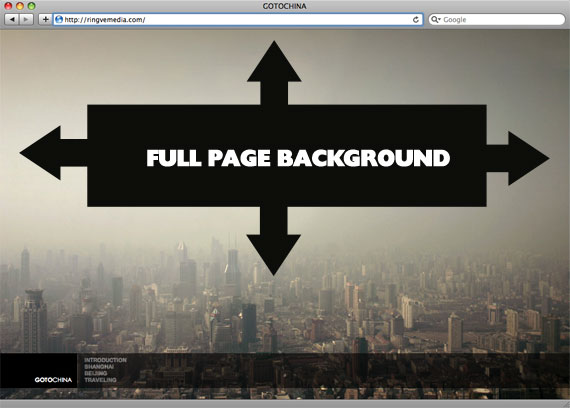
There is one cool trick to fill place with background, even if their sizes different. Just use the code for css:
body {
background-image: url(bg.jpg);
-webkit-background-size: cover;
-moz-background-size: cover;
-o-background-size: cover;
background-size: cover;
}

The goal here is a background image on a website that covers the entire browser window at all times. Let's put some specifics on it:

  • Fills entire page with image, no white space
  • Scales image as needed
  • Retains image proportions (aspect ratio)
  • Image is centered on page
  • Does not cause scrollbars
  • As cross-browser compatible as possible
  • Isn't some fancy shenanigans like Flash

We can do this purely through CSS thanks to the background-size property now in CSS3. We'll use the html element (better than body as it's always at least the height of the browser window). We set a fixed and centered background on it, then adjust it's size using background-size set to the cover keyword.

Works in

  • Safari 3+
  • Chrome Whatever+
  • IE 9+
  • Opera 10+ (Opera 9.5 supported background-size but not the keywords)
  • Firefox 3.6+ (Firefox 4 supports non-vendor prefixed version)

Source: http://css-tricks.com/perfect-full-page-background-image/

The article can also mean: css tricks

Tuesday, March 22, 2011

Rounded corners border CSS Problem in IE [ Internet Explorer ] [ Joomla ] [ Solved ]


Here you go.. There is an css code for "good" browsers to change your div's corners to rounded ones. But "bad" browsers such as Internet Explorer ( IE - IE6, IE7 and so on... doesnt works pretty good under this conditions.. ), so here is solution for this problem.


CSS CODE EXAMPLE OF DIV WITH CLASS = "box"
.box {
-moz-border-radius: 15px; /* Firefox */
-webkit-border-radius: 15px; /* Safari and Chrome */
border-radius: 15px; /* Opera 10.5+, future browsers, and now also Internet Explorer 6+ using IE-CSS3 */
-moz-box-shadow: 10px 10px 20px #000; /* Firefox */
-webkit-box-shadow: 10px 10px 20px #000; /* Safari and Chrome */
box-shadow: 10px 10px 20px #000; /* Opera 10.5+, future browsers and IE6+ using IE-CSS3 */
behavior: url(ie-css3.htc); /* This lets IE know to call the script on all elements which get the 'box' class */

}

There should be like this: "behavior: url(path/to/ie-css3.htc);"

Download url of the ie-css3.htc file. Put the file into root and css folder. ( and into other folders in other cases.. ^^ ):
http://uploading.com/files/dm247e4c/pie.zip/

I faced with this problem while doing rounded corners in Joomla template. Also this resources might be helpful

Tuesday, February 22, 2011

Real Megatron Tank from Transformers 2

Can you believe it? Real replica of Megatron Tank from Transformers 2 was made by one chinese metal artist. Full weight of the tank is more than 5000 kg.

Here is image of megatron tank made by fan


And here photos from real life


Saturday, April 18, 2009

Images by color

Have you ever searched images which contains black and red or something like that?

this project will help you next time:
http://labs.ideeinc.com/multicolr/.